# Kernel Threads
Threads are a great way to asynchronously do things in your mod! They play a huge role on preventing the block from happening on the main thread. Single-threaded aplications usually get blocked by long operations, but threads solve this problem.
Nitrocid KS manages the threads that are created by the `KernelThread` instances. It allows the kernel to manipulate with these threads more efficiently, and they stop each time the kernel is requested to shut down or restart by any power management functions, either locally or remotely by RPC.
`ThreadManager` provides you a whole set of functions and properties to efficiently manage your threads from listing all active threads to sleeping to benchmarking the sleep function.
## How to make your thread
To make your `KernelThread`, just call its constructor with the following parameters:
* `ThreadName`
* Thread name
* `Background`
* Whether the thread is a background thread
* `Executor`
* A function to execute in the thread
* It can be either of the type `ThreadStart` or of the type `ParameterizedThreadStart`
You can then start the thread using the `Start()` function for normal threads or the `Start(object)` function for parameterized threads.
{% hint style="warning" %}
You can't start the kernel thread once it's stopped by `Stop(false)` until it's regenerated either automatically by `Stop()` or manually by `Regen()`, and you can't call `Regen()` before calling the `Stop(false)` function.
{% endhint %}
A `KernelThread` has the following values:
* `Name`
* Gets the name of the thread
* `IsBackground`
* Checks to see if the thread is a background thread
* `IsAlive`
* Checks to see if the kernel thread is alive
* `IsReady`
* Checks to see if the kernel thread is ready
* `IsCritical`
* Indicates that the kernel thread is critical, which means that it is essential for the kernel. Unkillable by the kernel task manager
* `IsStopping`
* Checks to see whether the kernel thread is stopping
* `ParentThread`
* If the thread is a child thread, this will return its parent. Else, it returns `null`.
* `ThreadId`
* Managed kernel thread ID
## Task manager
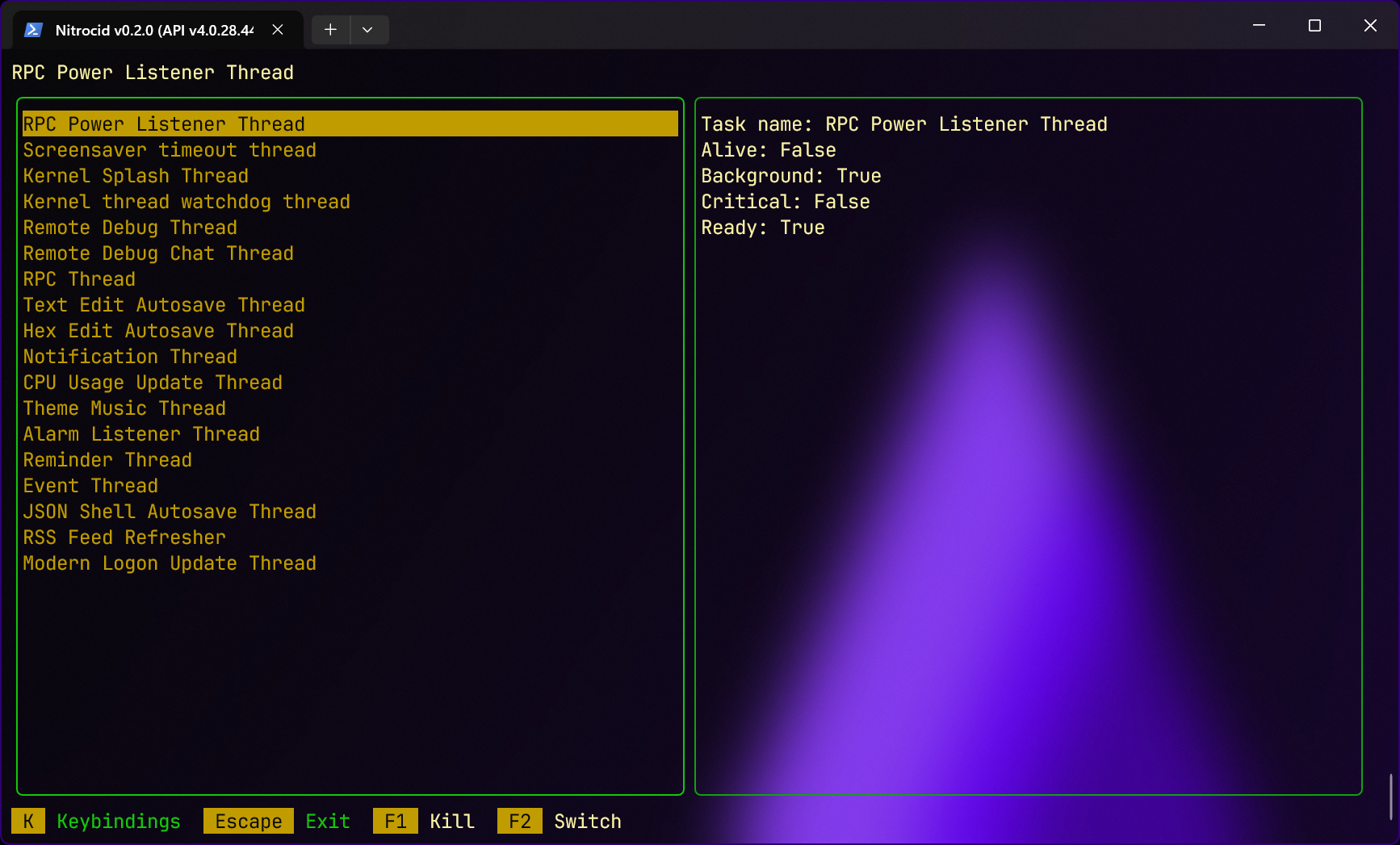
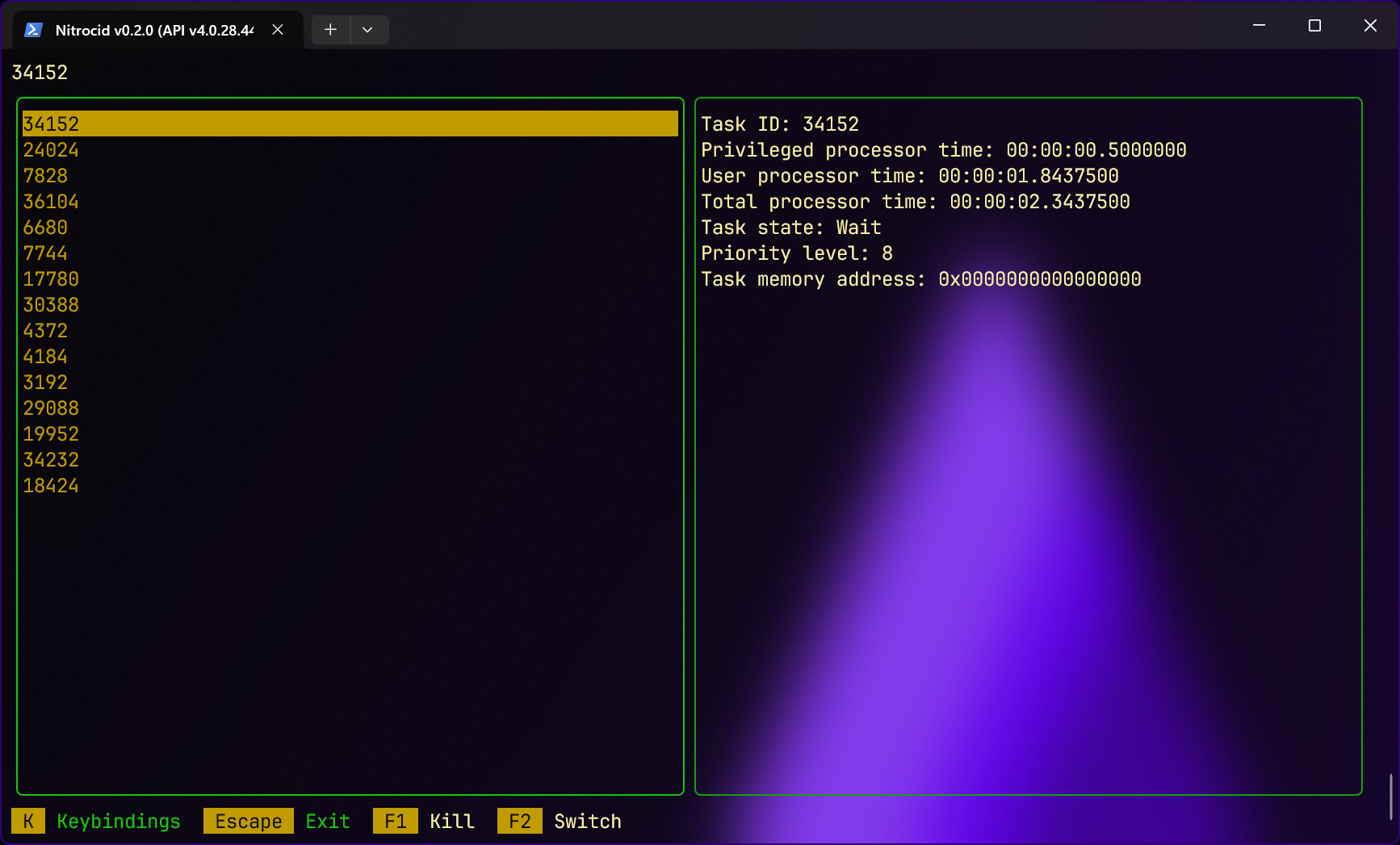
The task manager can be called by `taskman` in the normal shell. It allows you to list both the Nitrocid KS threads and the unmanaged operating system threads, and it provides you with their information.
The left pane of the task manager shows you a list of threads, and the right pane shows you the selected thread info.
### Controls
* `F1`
* Kills a Nitrocid KS thread and regenerates it
* `S`
* Switches between the Nitrocid KS thread listing and the unmanaged OS thread listing
* `ESC`
* Exits the program
{% hint style="info" %}
The `F1` command to kill a selected thread can't be used to kill unmanaged OS threads.
{% endhint %}
### Thread information
The selected thread information can be found on the right pane of your task manager. However, depending on the type of the thread you're currently at, it might show different information.
#### Nitrocid KS threads
The below information are shown:
* `Task name`
* The kernel thread name
* `Alive`
* Whether the kernel thread is running or not
* `Background`
* Whether the kernel thread is running in the background or not
* `Critical`
* Threads that are crucial to the kernel is usually set to `True` and thus can't be killed
* `Ready`
* Whether the thread is ready to be started or not
#### Unmanaged OS threads
The below information are shown:
* `Task ID`
* Unmanaged OS thread number assigned by the operating system
* `Privileged processor time`
* Amount of work a processor is completing while executing in privileged mode
* `User processor time`
* Amount of work a processor is completing while executing in user space
* `Total processor time`
* Total amount of work a processor is completing
* `Task state`
* The thread state holding one of the [ThreadState](https://learn.microsoft.com/en-us/dotnet/api/system.diagnostics.threadstate) values
* `Priority level`
* The unmanaged thread priority level
* `Task memory address`
* A hexadecimal representation of the memory address for an unmanaged thread assigned by the operating system that points to the thread entry point (start) in this format: `0x00000000`
### Child threads
Child threads are the threads that run with the parent thread and follow the parent thread's lead to perform operations together. In your thread, to add a child thread, you must call the `AddChild()` function regardless of whether said child thread takes parameters or not on the parent thread instance to make a new child thread and connect it to the parent thread. For example, to spawn three child threads from the parent thread, you must call the `AddChild()` function like this:
Starting the parent thread will start all the child threads simultaneously, and stopping the parent thread will stop all the child threads at once.
You can also add extra child threads to the parent thread that's already running using the same function. Example code is provided below:
thread = new KernelThread("Unit test thread #5", true, KernelThreadTestHelper.WriteHelloWithAppendingChild);
thread.AddChild("Unit test child thread #1 for parent thread #5", true, KernelThreadTestHelper.WriteHelloFromAppendingChild);
thread.AddChild("Unit test child thread #2 for parent thread #5", true, KernelThreadTestHelper.WriteHelloFromAppendingChild);
thread.AddChild("Unit test child thread #3 for parent thread #5", true, KernelThreadTestHelper.WriteHelloFromAppendingChild);
thread.Start();
Thread.Sleep(1000);
thread.AddChild("Unit test additional child thread #4 for parent thread #5", true, KernelThreadTestHelper.WriteHelloFromAppendingChild);
thread.AddChild("Unit test additional child thread #5 for parent thread #5", true, KernelThreadTestHelper.WriteHelloFromAppendingChild);
thread.AddChild("Unit test additional child thread #6 for parent thread #5", true, KernelThreadTestHelper.WriteHelloFromAppendingChild);
Thread.Sleep(3000);
thread.Stop();
You can get the child thread information and manage child threads inside child threads using the `GetChild()` function, passing it the child thread index starting from zero, usually accompanied by the `ChildThreadCount` property.
### Looping until the thread stops
If your thread consists of an infinite loop doing something useful, like updating the timer screen, the only viable way to implement such a loop within a `KernelThread` instance is to put a `while` clause, polling the condition of (`!MyThread.IsStopping`). Even better, you should catch a `ThreadInterruptedException` in case your thread does something that takes a long time. Here's an example of how it's used in the timer update thread (excluding the actual logic inside):
{% code title="TimerScreen.cs" lineNumbers="true" %}
```csharp
private static void UpdateTimerElapsedDisplay()
{
var FigletFont = FigletTools.GetFigletFont(TimerFigletFont);
while (!TimerUpdate.IsStopping)
{
(...)
}
}
```
{% endcode %}
{% hint style="danger" %}
Never use the `IsAlive` property to implement such loops, or your kernel thread will deadlock 60 seconds after it's told to stop in case the `ThreadInterruptedException` isn't getting caught.
Be sure to use the correct thread in which you're checking for `IsStopping`.
If you want to use this property, be sure that you still check for `IsStopping` somewhere in your logic, or at the end of your logic so that you can break out of the infinite loop with polling for the `IsAlive` property.
{% endhint %}
As soon as `Stop()` is called on your kernel thread, `IsStopping` will be set to `true` to notify your kernel threads that it's stopping and that it should take appropriate action to stop. After the thread ends, it'll be reverted to `false`.
### Sleeping
Kernel threads can now delay operations by using one of the following `Sleep()` functions:
* `SleepUntilInput()`
* The thread suspends all operations until the input is detected
* `SleepUntilInput(long Time)`
* The thread suspends all operations until either the input is detected or the timeout is reached
* `SleepNoBlock(long Time)`
* Sleeps until either the time specified, or the current thread is no longer alive.
* `SleepNoBlock(long Time, Thread ThreadWork)`
* Sleeps until either the time specified, or the specified non-Nitrocid thread is no longer alive.
* `SleepNoBlock(long Time, KernelThread ThreadWork)`
* Sleeps until either the time specified, or the specified Nitrocid thread is no longer alive.
#### Determining the precise sleep duration
The thread manager contains these functions designed to get the total elapsed ticks, milliseconds, or time span to sleep for a specified milliseconds:
* `GetActualMilliseconds()`
* `GetActualTicks()`
* `GetActualTimeSpan()`
When called, they contain valuable information about the time information, depending on the function used, including the amount of nanoseconds taken to sleep for the specified time in milliseconds.